

L&D teams don’t lack training content. They lack a system to convert training materials into interactive eLearning that people actually finish. Somewhere in your shared drive sits a PDF nobody’s opened since onboarding, a 90-slide deck from a 2022 compliance push, and a recorded session that three people watched. That’s not wasted content — it’s a starting point.
The instinct is to rebuild from zero. Take a different lens. Most of what makes training effective — the subject matter expertise, the real examples, the hard-won process knowledge — already exists in your legacy files. What’s missing is the structure that turns static information into something a learner can act on, track, and complete on their own time.
This piece walks through the actual process: how to audit what you have, how to convert training materials into interactive eLearning module by module, where SCORM packaging fits, and where AI-led simulations are worth the investment versus where they’re just noise. If you’re sitting on a pile of PPTs, manuals, or classroom decks and wondering where to start, start here.

Why Convert Training Materials Into Interactive eLearning Now
Static formats fail on three fronts: they’re not trackable, they’re not scalable, and they don’t hold attention. A PDF can’t tell you who finished it, where they dropped off, or whether the information stuck. A classroom session can’t scale to a distributed workforce or a new hire who joins mid-quarter.
Interactive eLearning fixes this by design. Every module produces completion data. Every learner moves at their own pace. And because the format supports quizzes, branching scenarios, and click-based interactions, retention improves — not because interactivity is trendy, but because active recall outperforms passive reading, every time it’s been tested.
Audit Before You Convert Training Materials Into Interactive eLearning
Don’t touch a single file until you’ve mapped what you actually have. Pull together every training asset — slide decks, PDFs, recorded sessions, facilitator guides — and sort each one into one of three buckets:
- Keep as-is and rebuild: content that’s accurate and still relevant, just trapped in a bad format
- Update, then rebuild: content where the core knowledge is sound but examples, policies, or data are outdated
- Retire: content that’s redundant, duplicated across files, or no longer applicable
Skipping this step is the single most common reason eLearning conversion projects run over budget. Teams pay to digitize material that should have been cut in week one.
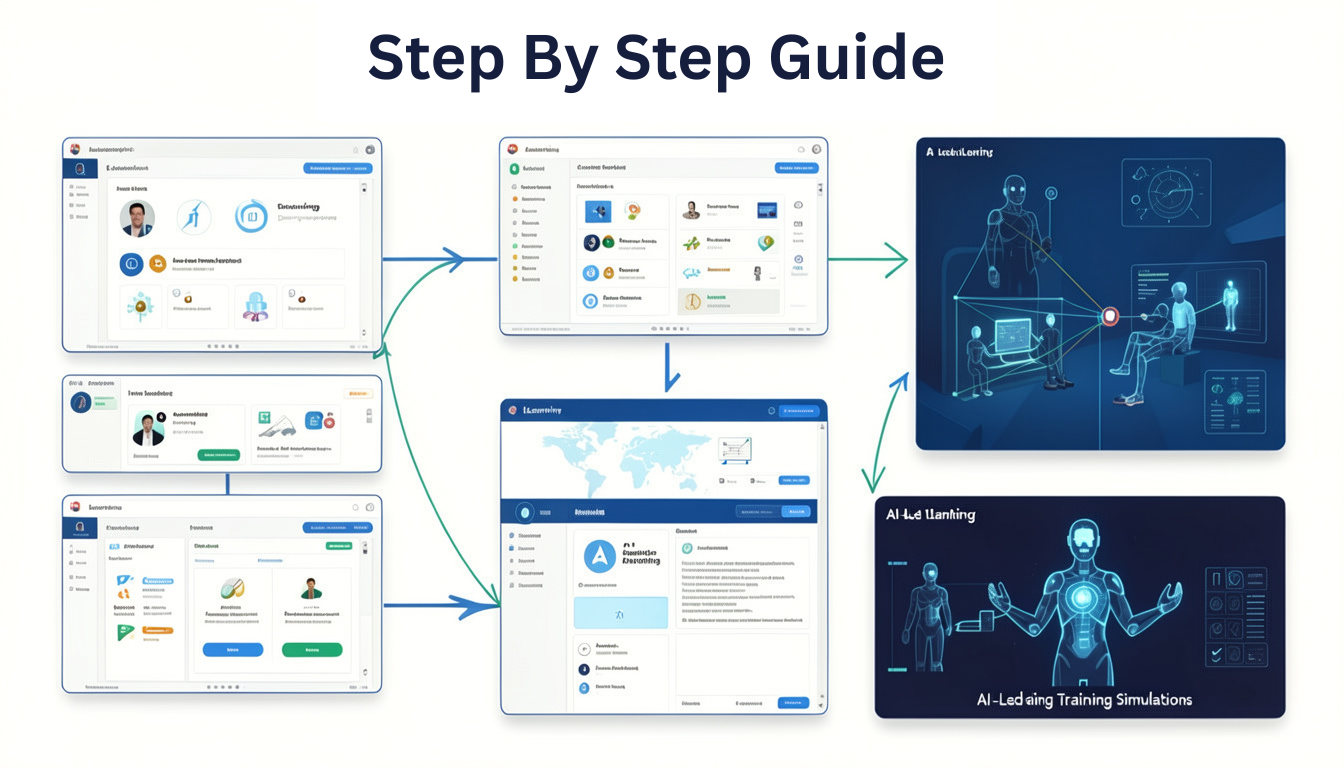
The Step-by-Step Process to Convert Training Materials Into Interactive eLearning
Once the audit is done, the actual build follows a consistent sequence.
1. Map Content to Learning Objectives
Every legacy file was built for a delivery method — a slide deck for a facilitator to talk over, a PDF for someone to skim. Neither is built around what the learner should be able to do afterward. Before converting anything, define the specific outcome for each module. This single step is what separates interactive eLearning that changes behavior from interactive eLearning that’s just a prettier PDF.
Learn the next step- Find the Real Gap Before You Scope Training
2. Apply Instructional Design Principles
This is where legacy content earns its digital format. Break long-form material into microlearning units of five to ten minutes. Layer in scenario-based branching where a decision actually matters to the job — not decorative interactivity for its own sake. Sound instructional design principles turn a 45-minute deck into three tight modules a learner can complete between meetings.
3. Build for SCORM Packaging
SCORM packaging is what makes a module trackable inside your LMS — completion status, time spent, quiz scores, all reportable. If compliance or certification tracking matters to your organization, this step isn’t optional. Build with SCORM compliance in mind from the start, rather than retrofitting it after the module is already designed, which almost always means rework.
4. Add AI-Led Simulations Where They Add Value
AI-led simulations are worth the build when a learner needs to practice a judgment call — a difficult conversation, a troubleshooting sequence, a sales objection. They’re not worth it for content that’s purely informational, like policy updates or procedural steps. Match the interactivity to the actual learning need, not to what’s newest.

Common Mistakes When You Convert Training Materials Into Interactive eLearning
A few patterns show up repeatedly across conversion projects:
- Treating the slide deck as the script. A deck built for a live facilitator to narrate reads flat without one. Rewrite for a solo learner, not a transcript of what was said in the room.
- Adding interactivity without a reason. Drag-and-drop and click-to-reveal elements only help if they reinforce the objective. Interactivity for its own sake slows learners down.
- Skipping SME review after the rebuild. Content ages. A module built from a two-year-old deck needs a subject matter expert to confirm it’s still accurate before it goes live.
- Ignoring mobile. If your workforce is distributed or frontline, a module that only renders well on desktop will get skipped.
What a Managed Conversion Partner Handles End to End
Running this process in-house is possible, but it typically pulls L&D generalists away from strategy work and into production — content restructuring, SCORM packaging, LMS upload, QA testing. Teams that work with an embedded L&D partner get the full sequence handled as one thread: audit, instructional design, build, SCORM packaging, and deployment, without managing five separate vendors for five separate steps.
That’s the model Huksa runs on for organizations converting legacy training libraries into interactive eLearning at scale — one team handling content strategy through deployment-ready modules, start to finish.
Conclusion
If you’ve been putting off the decision to convert training materials into interactive eLearning because it feels like starting over, it isn’t. The knowledge in your legacy files is the hard part, and you already have it. What’s left is structure: audit what exists, rebuild around clear learning objectives, package for SCORM tracking, and use AI-led simulations only where practice genuinely matters.
Start small if you need to — convert training materials into interactive eLearning one module at a time, prove the format works with your audience, then scale. The content you already have is closer to done than it looks.